English & हिन्दी
Everything you need to stay on task
Every blocking and focus feature is free. Pick what distracts you, start a session, and let Focus Mode hold the line.
App blocker
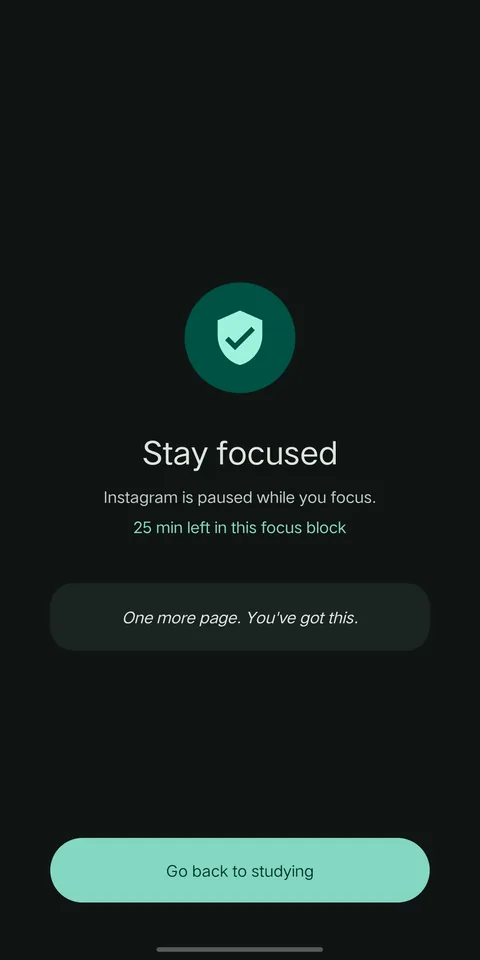
Close Instagram, YouTube, games or any app you pick while you focus, with a calm "Stay focused" screen instead.
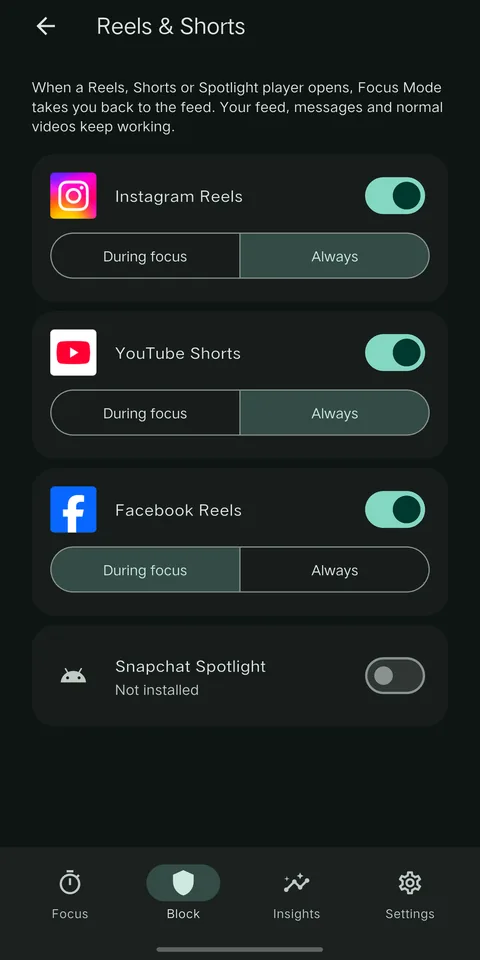
Reels & Shorts blocker
Block only Instagram Reels, YouTube Shorts, Facebook Reels and Snapchat Spotlight. Your feed, messages and normal videos keep working.
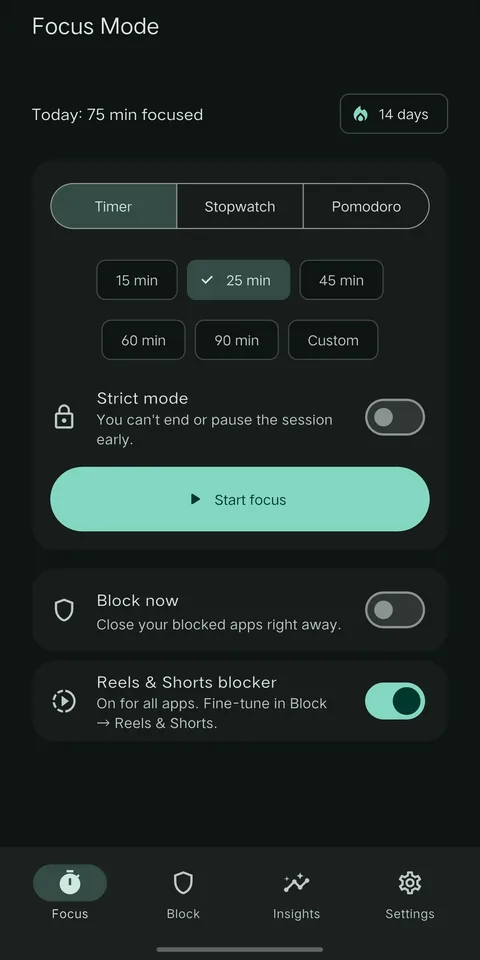
Timer, stopwatch, Pomodoro
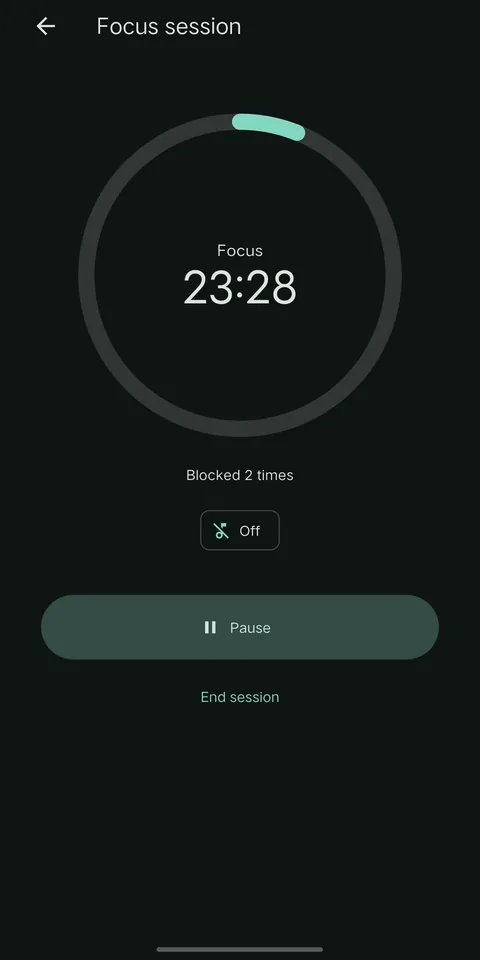
Set your own focus and break lengths. Strict mode makes a session you can't end or pause early.
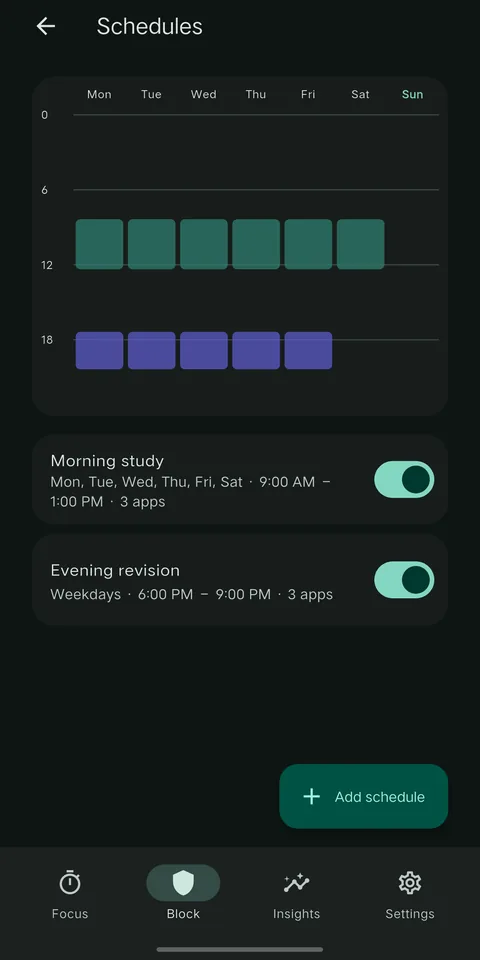
Schedules & daily limits
Block apps automatically, for example Monday to Saturday 9:00 to 13:00, or give each app a daily time budget.
Website blocker
Block the sites you choose in your browser, or allow only the study sites you need. Optional adult-content filter.
Insights & streaks
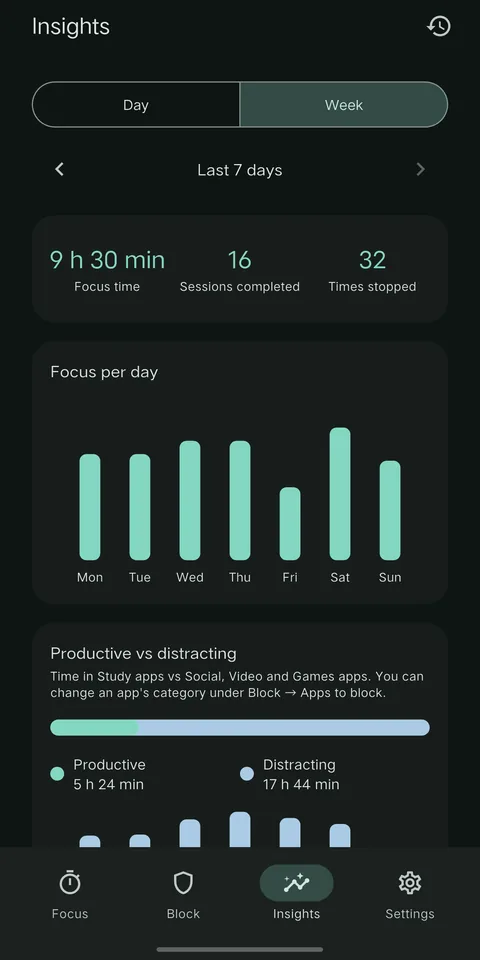
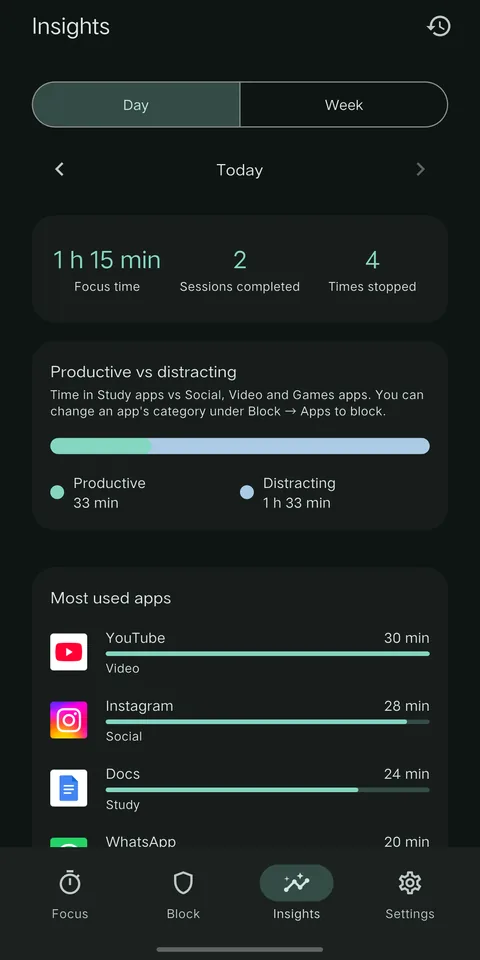
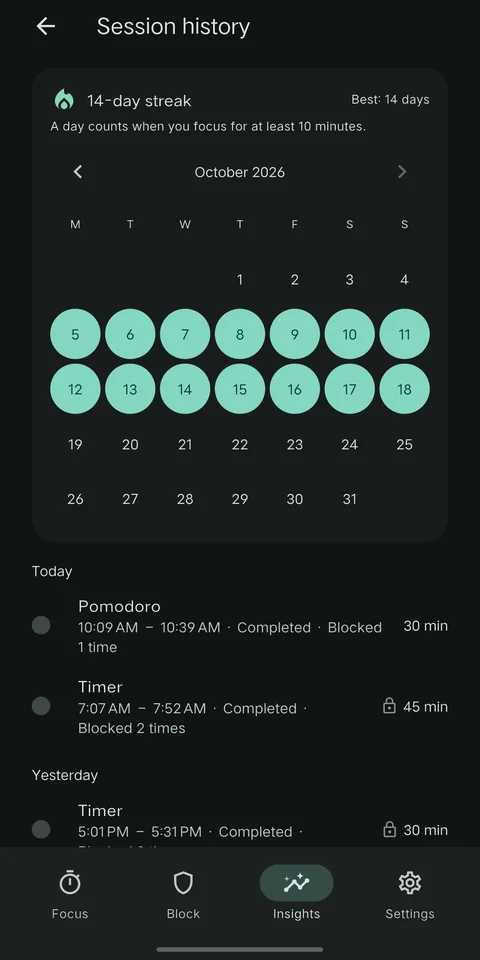
Daily and weekly focus time, productive vs distracting screen time, top apps, and a streak calendar.
YouTube Study Mode
Only videos from the study channels you add will play. Everything else on YouTube is blocked.
Focus sounds & themes
Original rain, waves and deep-focus sounds, plus light, dark and calm colour themes.
Block now
One switch closes all your blocked apps right away, no session needed.
A calm app that stays out of your way
Swipe to see more.
Set up in two minutes
Focus Mode walks you through each step inside the app.
Pick your distractions
Choose the apps to block, and switch on the Reels & Shorts blocker if you want it.
Allow blocking
Read the short explanation, then turn on Focus Mode in Android's Accessibility settings. This is how it can close the apps you picked.
Start focusing
Start a timer or Pomodoro, or turn on Block now. Blocked apps show "Stay focused" until your session ends.
Private by default
What Focus Mode sees stays on your phone. It uses Android's Accessibility service only to recognise the apps, videos and websites you chose to block. No account, no sign-up.
Read the privacy policy- Only the apps you choose to restrict are observed. Banking, payment and chat apps are never looked at.
- Your block lists, sessions and statistics are stored only on your phone.
- Nothing the Accessibility service sees is sent anywhere, stored or logged.
- Uninstalling the app deletes everything it saved.
- Ads are never shown on the block screen or during a focus session.
Blocking stopped working?
Some phones stop apps in the background to save battery, which can switch off blocking. Follow the steps for your phone. Menu names differ a little between versions.
vivo / iQOO (OriginOS, Funtouch OS)
- In Battery, open Background power consumption management and allow Focus Mode.
- Turn on Autostart for Focus Mode (i Manager or Permissions).
- Open Recent apps and lock Focus Mode.
Xiaomi / Redmi / POCO (HyperOS, MIUI)
- Turn on Autostart for Focus Mode.
- In Focus Mode's app settings, set Battery saver to "No restrictions".
- Open Recent apps, then hold Focus Mode and lock it.
Samsung (One UI)
- In Focus Mode's app settings, set Battery to "Unrestricted".
- In Battery and device care, make sure Focus Mode isn't in Sleeping apps or Deep sleeping apps.
Oppo / Realme / OnePlus (ColorOS)
- Allow Auto launch (Auto startup) for Focus Mode.
- In Battery, allow background activity for Focus Mode.
- Open Recent apps and lock Focus Mode.
Other phones
- In Focus Mode's app settings, set Battery to "Unrestricted" or "Don't optimize".
- If your phone has an autostart or background app manager, allow Focus Mode there.
Still not working?
Open Focus Mode → Settings → Permissions. If Accessibility shows as off or stopped, switch Focus Mode off and on again in Android's Accessibility settings. If it still doesn't work, email me with your phone model and Android version.
Questions people ask
Can't find your answer? Email me.
Is Focus Mode free?
Yes. Every blocking and focus feature is free. Small ads keep it that way, and they never appear while you focus or on the block screen. Extra colour themes and sounds can be unlocked for 7 days by watching an optional short ad.
Why does it need Accessibility permission?
Android only lets an app close other apps, Reels or websites through the Accessibility service. Focus Mode uses it only for the apps you choose to block, and nothing it sees leaves your phone. The app explains this on a full screen before asking.
Can I still use Instagram and YouTube?
Yes. With the Reels & Shorts blocker, only the short-video player is blocked. Your feed, messages and normal videos keep working. You can also block a whole app only during your focus sessions.
What is Strict mode?
A strict session can't be ended or paused early, so you can't give in to a distraction halfway. Your phone's calling app is never blocked.
Which browsers does website blocking work in?
It is tested in Chrome and also supports other popular Android browsers. If a site isn't blocked in your browser, please let me know.
Which phones are supported?
Android phones with Android 8.0 or newer. There is no iPhone version.
How do I delete my data?
Everything is stored on your phone only. Uninstalling Focus Mode deletes all of it. There is no account to close.
Is this an official or government app?
No. Focus Mode is an independent app made by Akash Kush. It is not affiliated with any government body, exam board or other organisation, and it does not provide government or exam information.